


PlaceSet the tray on your phone
✨ Dust-Free Installation Screen Protector for iPhone 11–17 — HD Clear, Anti-Blue Light, and Privacy Versions
✨ Dust-Free Installation Screen Protector for iPhone 11–17 — HD Clear, Anti-Blue Light, and Privacy Versions
🧼 Dust-Free, Bubble-Free Installation
⚡ Perfect Alignment in One Simple Pull
🛡️ Three Protection Styles for Your Lifestyle
📱 Made for iPhone 11–17 Series
▣
Fits iPhone 11 through iPhone 17 Series
🚚 Free ShippingOn all orders
↩ 30-Day ReturnsEasy returns
🔒 Secure CheckoutProtected payment
✓ Premium QualityMade for daily use
Couldn't load pickup availability
-
Ordered
- - -
Order Ready
- - -
Delivered

✨ Dust-Free Installation Screen Protector for iPhone 11–17 — HD Clear, Anti-Blue Light, and Privacy Versions
Regular price
$19.99
Regular price
$19.99
Sale price
$39.99
Unit price
per


Nicozle
Nicozle
Nicozle
Nicozle
Nicozle
Nicozle
Nicozle
Nicozle
Nicozle
Nicozle
Nicozle
Nicozle
Nicozle
Nicozle
Nicozle
Nicozle
Nicozle
Nicozle
Nicozle
Nicozle
Nicozle
Nicozle
Nicozle
Nicozle
Nicozle
Nicozle
Nicozle
Nicozle
Nicozle
Nicozle
Nicozle
Nicozle
Nicozle
Nicozle
Nicozle
Nicozle
Auto-Align · Cleaner Install · iPhone 11–17
Dust-Free Screen Protection, Installed in Seconds
A guided dust-control tray that helps align and install your screen protector with less dust, fewer bubbles, and less guesswork.
01Auto-Alignment TrayGuides the protector into the correct position.
02Cleaner 1-Pull InstallDesigned to reduce dust, bubbles, and guesswork.
03Three Protection OptionsHD Clear, Blue-Light Filter, or Privacy Anti-Spy.
$19.99
$39.99
Choose your iPhone model and protection type
✓ iPhone 11–17 options
✓ Case-friendly fit
✓ Smooth touch response

PullFollow the marked tab
PressHelp the protector bond
DoneRemove the tray and enjoy

The Everyday Frustration
See the cleaner way →
Tired of Dust, Bubbles, and Crooked Installs?
Traditional screen protectors leave too much room for error. One speck of dust, one trapped bubble, or one slightly crooked edge can ruin the entire result.
01Dust gets trappedTiny particles stay visible beneath the protector.
02Bubbles ruin the finishAir pockets make a new phone look poorly installed.
03Alignment is easy to missA small mistake can waste the protector.
The Smarter Solution
Meet the Dust-Free Tray System
The clear installation tray positions your iPhone and protector together, helping reduce direct handling, alignment mistakes, and airborne dust during installation.
- Built-in alignment guides help center the protector over the screen
- Enclosed installation path helps reduce dust exposure during application
- Marked pull-and-slide sequence makes each step easy to follow
- Beginner-friendly design requires no special tools or experience

Simple Installation
Perfect Install in Three Simple Steps
No special skills, loose alignment frames, or complicated tools.

Place
Clean the screen and set the installation tray securely over your phone.
Pull
Follow the numbered tab and pull in one smooth, controlled motion.
Finish
Press as directed, wait briefly, and remove the tray to reveal the screen.

Three Protection Options
HD
BL
PR
Select your protection type →
Choose the Protection That Fits You
HD Clear
Best for bright, crisp everyday viewing with minimal color change.
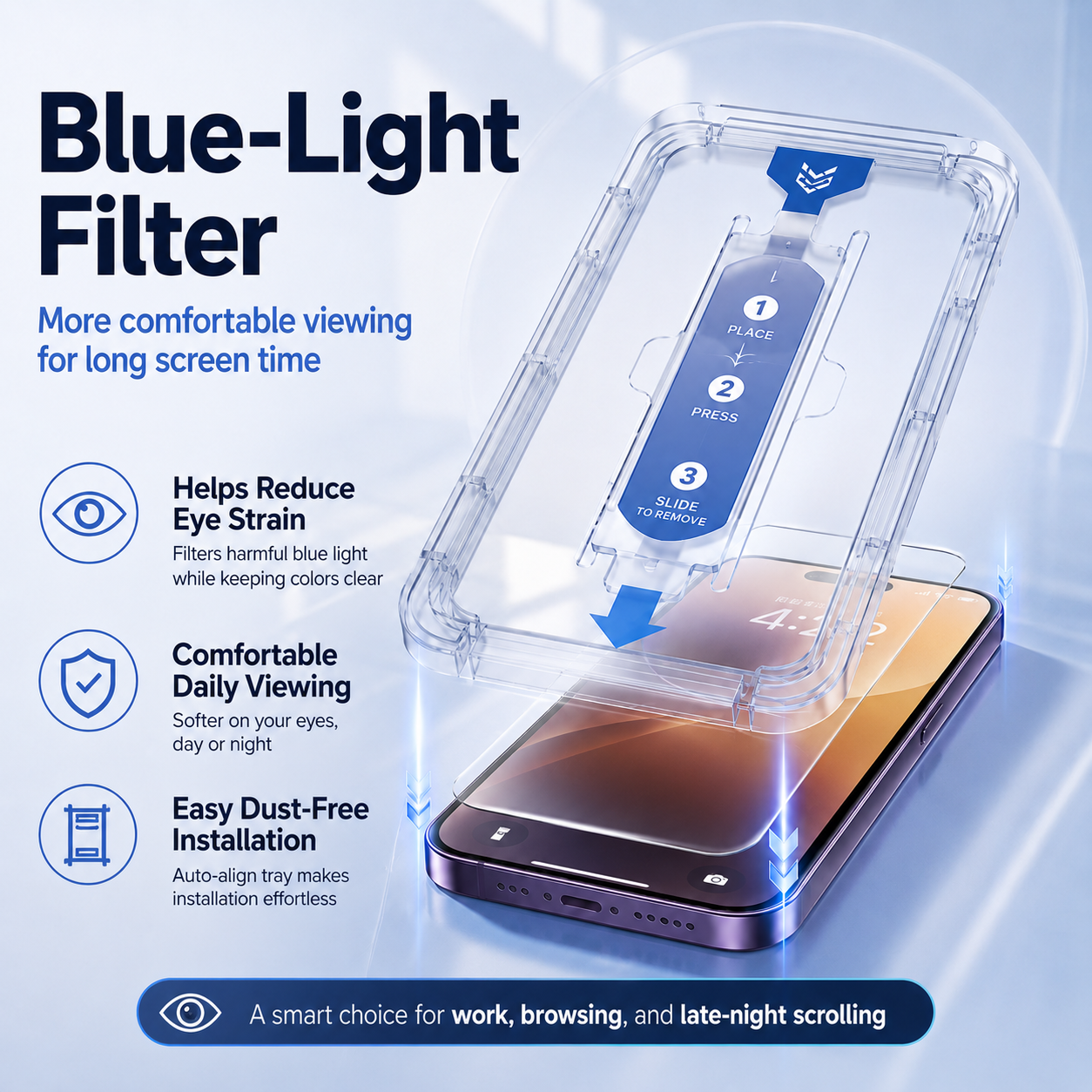
Blue-Light Filter
A lightly tinted option designed for more comfortable extended screen time.
Privacy Anti-Spy
Limits side viewing so nearby people have a harder time seeing your screen.
Made for Daily Use
Scratch-Resistant Surface
Smooth Touch Response
Fingerprint-Resistant Finish
Case-Friendly Fit
Protection That Still Feels Like Your Screen
A screen protector should help guard the display without making your phone feel bulky or difficult to use.
Helps defend against keys, light scuffs, and everyday contact.
Designed to preserve natural swiping, typing, and tapping.
Helps the screen stay cleaner between wipes.
Leaves practical edge clearance for many everyday phone cases.


Precision Compatibility
Made for iPhone 11 Through iPhone 17
Select the exact model before checkout so the tray, speaker opening, camera area, and protector edges align correctly.
- iPhone 11 family
- iPhone 12 family
- iPhone 13 family
- iPhone 14 family
- iPhone 15 family
- iPhone 16 family
- iPhone 17 family
Choose the exact model shown in your phone settings. Protector dimensions differ between standard, Plus, Pro, and Pro Max versions.
Made for First-Time Users
Worried You’ll Mess It Up?
The guided tray removes much of the freehand work that makes ordinary protector installs stressful.
- No messy liquid glue
- No separate alignment tools
- No installation experience required
- Clear numbered instructions on the tray


More Value, Less Hassle
Faster setup
Fewer preventable mistakes
One system, three choices
Spend Less Time Fixing Installation Mistakes
The real value is not only the screen protector. It is a more controlled installation process that helps reduce wasted protectors, repeated cleaning, and crooked results.
A clear sequence is easier to follow than freehand placement.
Alignment guides help you avoid starting over.
Use the same easy-install concept with the protection style you prefer.
Why Choose This System?
A Cleaner Way to Protect the Phone You Use Every Day
- Guided auto-alignment tray
- Cleaner pull-through installation
- HD Clear option
- Blue-Light Filter option
- Privacy Anti-Spy option
- iPhone 11–17 model selection
- Case-friendly edge design
- Smooth everyday touch response

Questions Before Ordering
Everything You Need to Know
Select the correct iPhone model and protection type before adding the product to your cart.
Which iPhone models are available?
The product is offered for iPhone 11 through iPhone 17 families. Choose the exact standard, Plus, Pro, or Pro Max version listed on the product page.
What is the difference between the three protector types?
HD Clear prioritizes maximum clarity. Blue-Light Filter adds a light filtering tint for extended screen use. Privacy Anti-Spy limits visibility from side angles.
Does the tray guarantee a completely dust-free result?
The tray is designed to reduce dust exposure and alignment errors. Always clean the screen carefully and install in a low-dust room for the best result.
Will it work with my phone case?
The protector is designed with practical edge clearance for many standard cases. Very tight, oversized, or wraparound cases may press against the protector edges.
Will touch sensitivity still work?
Yes, the protector is designed for normal typing, swiping, Face ID use, and everyday touch response when installed correctly.
Can I remove the protector later?
Yes. Lift an edge carefully and remove it slowly. The protector itself is not intended to be reapplied after removal.
What should I do if I see a small bubble?
Allow the protector time to settle, then gently press the bubble toward the nearest edge with a soft cloth. Dust underneath the glass may require replacement.
What is included?
The exact package contents are shown in the product offer. Confirm the selected quantity, protector type, and phone model before checkout.
Choose Your Model · Choose Your Protection · Install with Confidence
Protect Your iPhone Without the Usual Installation Stress.
Pick HD Clear, Blue-Light Filter, or Privacy Anti-Spy, select your iPhone model, and use the guided tray for a cleaner, easier installation.
Choose Your Screen Protector → For best results, clean the display thoroughly and follow the instructions included with the product. Installation results can vary depending on dust, cleaning, handling, and phone condition.